
Speed Keyboard Escape Underwater How to play the underwater keyboard
WASD and jump, mobile thumbstick, HUD buttons, lava tiles, octopus chases, and the ASMR keys that pay Speed.
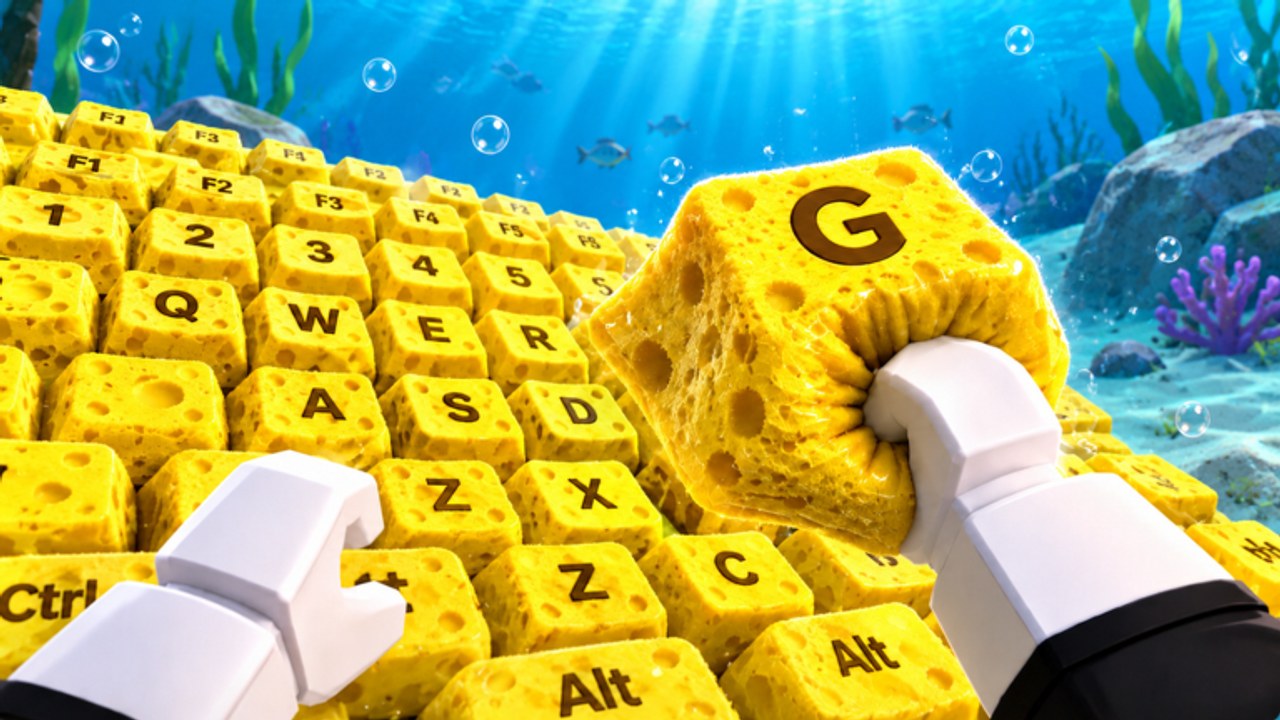
Magick Hub’s +1 Speed Keyboard Escape | Underwater is a Roblox incremental simulator you play with ordinary movement, not a hidden combo list. You walk keys, you jump gaps, you splash back when lava or a boss wins. Speed ticks on every step. Wins tick when a finish pad accepts you. That is the whole verb set. This page is the control and HUD manual. If you still need the first-hour order of operations, go back to Getting Started. If a named room is the problem, use the underwater stages walkthrough.
The place is released and online. Up to 22 players share the same coral keyboard. There is no local split-screen and no non-Roblox client. You can race, you can ignore the lobby, and you can still splash into someone else’s lane because the keys are public geometry.
Desktop: WASD, jump, and looking
On keyboard, move with WASD. Jump with the Roblox jump bind, which is Space for most players. Mouse look aims the camera along the keys so you can see lava before you commit. You do not need a sprint key. The genre’s Speed stat is not a WASD turbo; it is the counter that grows when your feet keep hitting keys.
Jump only when the next sponge or coral block is actually higher, gapped, or sitting past a lava tile. Panic jumps on flat keys throw you into the octopus path or off the keyboard entirely. After a splash-back you respawn toward the start with the ocean ASMR still running. Walk. Do not mash jump to feel faster.
If default binds feel wrong, open the dedicated controls page instead of fighting the HUD mid-stage. This wiki keeps input notes there so this guide can stay on what the buttons do in Magick Hub’s underwater layout.
Mobile: thumbstick, jump button, and camera drag
On a phone or tablet, move with the on-screen thumbstick. Jump with the jump button. Drag the camera with a second thumb when lava or a red octopus is off-screen. Mobile players lose runs by staring at the Speed popups instead of the next key. The HUD will keep shouting numbers. The floor is still lava.
Thumbstick drift is real on long sessions. If you start veering into walls, lift the stick and re-center. Do not compensate by holding jump. Magick Hub’s keys are wide, but the moving boss does not care that you are on touch controls. The same 22-player server mixes desktop and mobile avatars on one keyboard.
HUD: Code, Trails, Shop, Rebirth, teleport
The live HUD is how this clone talks to you. Learn the cluster before you buy anything.
Code. Opens the redemption box. Magick Hub uses this button the same way other keyboard escapes do. Paste strings from the codes hub and follow how to redeem. Never type Candy & Chocolate codes here.
Trails. This is your first multiplier menu. Equip the free green trail the moment you spawn, then rank later purchases on the trails tier list. Unequipped trails are cosmetics you paid for and then ignored.
Shop. Observed on this place: Speed HUD plus shop buttons that grant +1M Speed and +10M Speed. Those are burst Speed, not Wins. Treat them as a Speed farm tool after you understand the cost, not as a substitute for walking. The right side can also show 2x Speed for 3 Robux. Optional. Rank it on gamepasses.
Rebirth. Lights up when the place will trade your current Speed for a multiplier. Press it as soon as it is available. The rebirth guide exists because players freeze on this button. Do not freeze.
Teleport. Lets you spend Wins to skip toward later keys. That is how new players go broke. Farm a pad you can finish using How to Farm Wins before you teleport into a room that splash-backs you for free. Teleports do not mark a stage complete. Finish pads do.
Lava tiles
Lava is the cheap death. It sits on keys that look like the rest of the SpongeBob-like scenery until you are on them. Jump over, walk around, or wait if a moving platform is the real path. Touching lava is a splash-back, not a heroic last stand. You keep trails and Wins. You lose the time it took to recross the coral.
Underwater lava is nonsense and it is still the rule. Players in clips call it out because the ocean set never explains it. You do not need an explanation. You need a jump.
Octopus, bosses, and moving hits
A red octopus or similar boss hangs over the yellow sponge keyboard in the gameplay people actually record. It is not decoration. It occupies the lane, then it chases. In the Stage 12 duck-and-pool speedrun on the underwater stages page, the runner calls the boss incoming more than once and still finishes by staying on white keys and moving through the chase instead of stopping to fight.
You cannot punch the octopus. This is not a combat sim. Path around it, jump to a parallel key, or wait a half-second if the hitbox is sweeping your current letter. Getting greedy for one extra Speed pop while the boss occupies your tile is how splash-backs happen with a full HUD.
ASMR keys and why the clicks matter
Magick Hub shipped relaxing ocean ASMR: bubbles, waves, and keyboard clicks on the coral and sponge letters. The clicks are useful. When you are moving clean, the key sounds stay regular. When you clip lava or leave the keyboard, the rhythm breaks and the splash-back audio takes over. Play with sound on until you can hear a bad step without staring at your feet.
The keys are the farm. Every step is +1 Speed before multipliers. Trails, treadmills, shop bursts, and rebirths all multiply that step. None of them replace the step. If you want the AFK version of the same rule, read How to Farm Speed and look at treadmills after you can finish a pad without thinking.
Play in a 22-player ocean, then pick the next page
You will share lanes. You will get blocked. You will also copy a better line by watching someone else jump lava. That is the point of online co-op on this place. Compare totals later on the leaderboards. Check the changelog if a HUD button moved. Use the speed planner when the Shop numbers get large enough to matter.
Automation chatter lives under scripts. This how-to does not need it. If your hands already know WASD, the thumbstick, and the five HUD buttons, leave this page and go spend the hour on Getting Started or on a pad from the guides hub. The ocean will keep clicking either way.
Frequently Asked Questions
Quick answers to the most common questions.
What are the keyboard controls?
WASD to move, jump to clear lava and gaps, mouse to look. Full bind notes sit on controls.
How do I play on mobile?
Use the thumbstick to walk the coral keys and the jump button to clear lava. Drag the camera so the octopus is never off-screen.
Which HUD buttons matter in the first session?
Code, Trails, Shop, Rebirth, and teleport. Redeem on codes, equip a trail from the trails list, and read rebirth before you skip.
What happens if I touch lava or the octopus?
You splash back toward the start. Trails and Wins stay. Recover with the underwater stages walkthrough.
Does ocean ASMR change gameplay?
The clicks confirm clean key hits. Irregular audio usually means you left the keyboard or clipped lava. Keep sound on while you learn.
Is this a single-player obby?
No. It is an online Roblox incremental on 22-player servers. Race or farm, then return to the guides hub for the next loop.